Welcome to Fresenius!
We are pleased to welcome you as a new employee in the Fresenius group. We wish you a successful and occupational future.
As a “first step” with our software standards and the network we would like to provide you with the information on how to set your initial password.
Please use the Fresenius mail address that has been provided in the info mail together with this link.
Please note that it may take up to 6 hours after receiving this mail, before you can set your initial password!
Please follow these steps, to set your initial password:
1. Go to https://passwordreset.fresenius.com/
Provide your Fresenius mail address listed above and answer the captcha. Then click Next.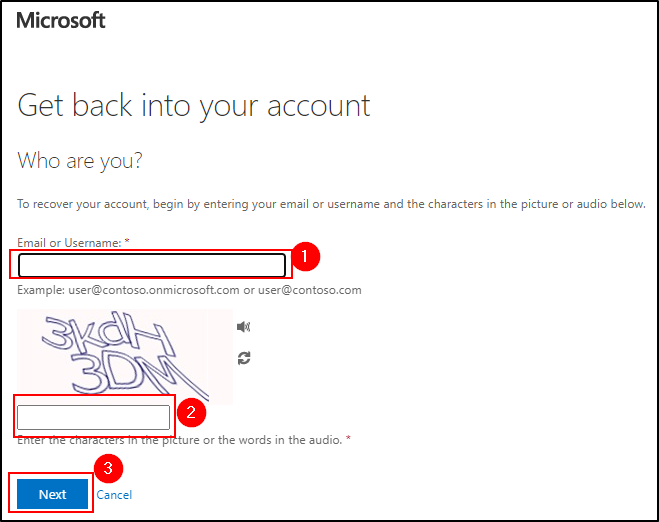
2. Verification codes will be sent to the mail address and cell phone number that you provided in the onboarding process.
Enter your full mail address/cell phone number and the codes in the password reset dialog windows accordingly.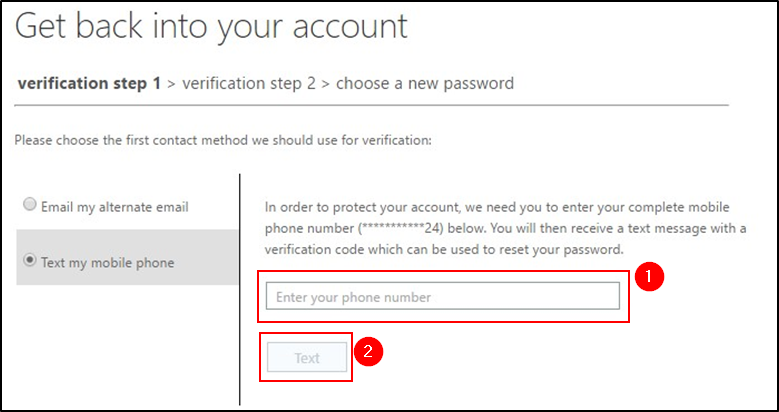
3. After you successfully passed the verification steps, you can set a new password.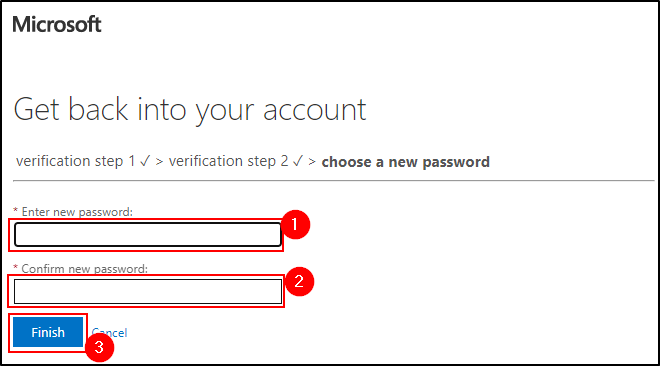
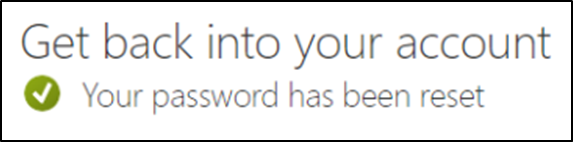
4. The password will be set. After 15 minutes it will be fully replicated, and you can login using your new password.